
How do I set the tab size in JTextArea?
In this example you will be shown how to set or change the tab size for the JTextArea component. You can use the setTabSize(int size) to define the tab size. For this demo we create a combo box that have some integer values which will be used to define the tab size. When you change […]
Article by Wayan · Source: Kode Java ↗
In this example you will be shown how to set or change the tab size for the JTextArea component. You can use the setTabSize(int size) to define the tab size. For this demo we create a combo box that have some integer values which will be used to define the tab size. When you change the selected item in the combo box the JTextArea tab size will be change immediately.
package org.kodejava.swing;

import javax.swing.*;
import java.awt.*;

public class TextAreaSetTabSize extends JPanel {
    public TextAreaSetTabSize() {
        initializeUI();
    }

    public static void showFrame() {
        JPanel panel = new TextAreaSetTabSize();
        panel.setOpaque(true);

        JFrame frame = new JFrame("JTextArea Demo");
        frame.setDefaultCloseOperation(WindowConstants.EXIT_ON_CLOSE);
        frame.setContentPane(panel);
        frame.pack();
        frame.setVisible(true);
    }

    public static void main(String[] args) {
        SwingUtilities.invokeLater(TextAreaSetTabSize::showFrame);
    }

    private void initializeUI() {
        this.setLayout(new BorderLayout());
        this.setPreferredSize(new Dimension(500, 200));

        JLabel label = new JLabel("Tab size: ");
        Object[] items = {2, 4, 8, 10, 20};
        final JComboBox<Object> comboBox = new JComboBox<>(items);

        JPanel tabPanel = new JPanel(new FlowLayout());
        tabPanel.add(label);
        tabPanel.add(comboBox);

        this.add(tabPanel, BorderLayout.NORTH);

        final JTextArea textArea = new JTextArea();
        textArea.setLineWrap(true);
        textArea.setWrapStyleWord(true);

        // Sets the number of characters to expand tabs to.
        textArea.setTabSize((Integer) comboBox.getSelectedItem());
        comboBox.addItemListener(e -> textArea.setTabSize(
                (Integer) comboBox.getSelectedItem()));

        JScrollPane pane = new JScrollPane(textArea);
        pane.setPreferredSize(new Dimension(500, 200));
        pane.setVerticalScrollBarPolicy(
                JScrollPane.VERTICAL_SCROLLBAR_ALWAYS);

        this.add(pane, BorderLayout.CENTER);
    }
}
The output of the code snippet above is:
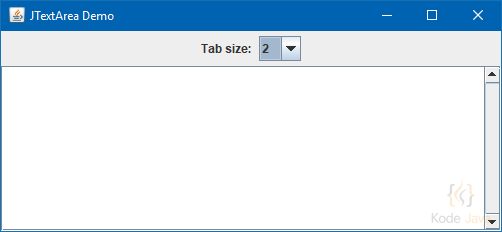
JTextArea Tab Size Demo
Comments 0
Share your questions, experiences, or feedback about this article.
Sign in with Google to leave a comment.
Sign in with Google
No comments yet. Be the first to share your feedback.